
Theory is great, but show me the code!
In my previous post, we covered Clean Architecture concepts. But honestly? You can read about layers and dependency rules all day - what you really need is to see it working in actual code.
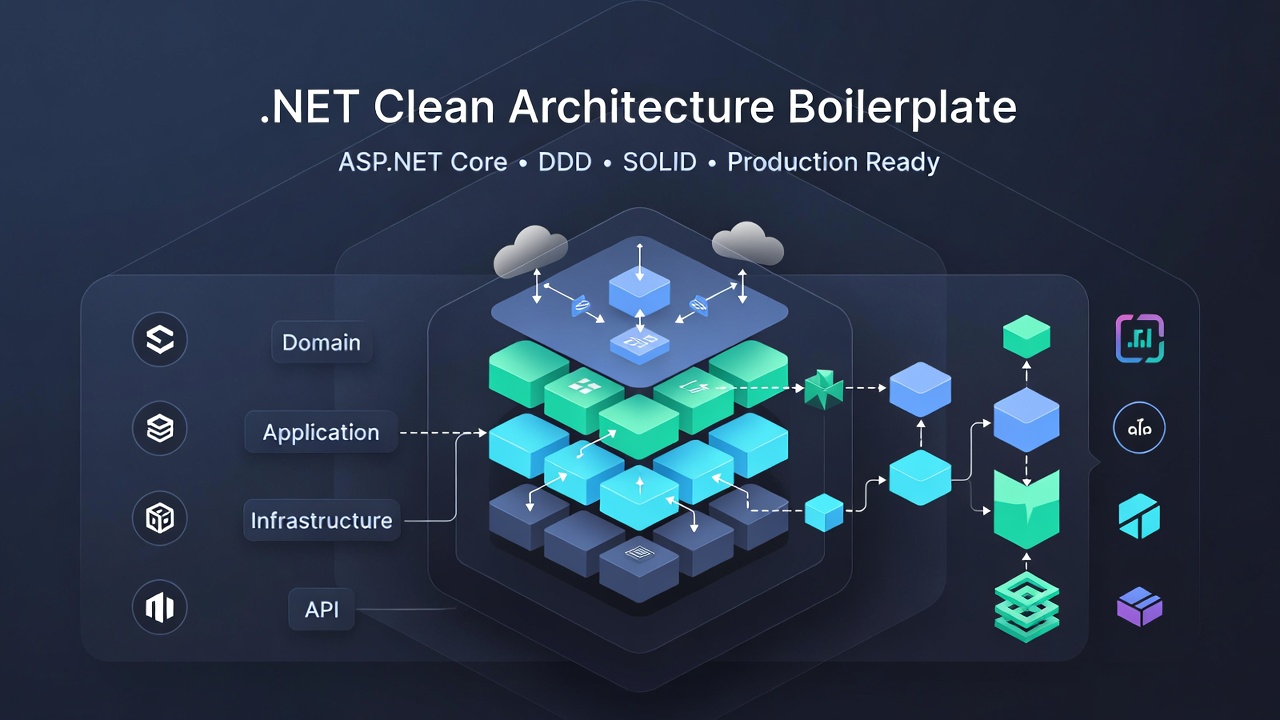
So let’s build something real: A Product Management System from scratch using Clean Architecture. We’ll walk through every layer, every pattern, and every design decision. By the end, you’ll have a complete, working implementation you can reference for your own projects.
Clean Architecture Series:
- Clean Architecture in .NET Overall - Start here if you’re new
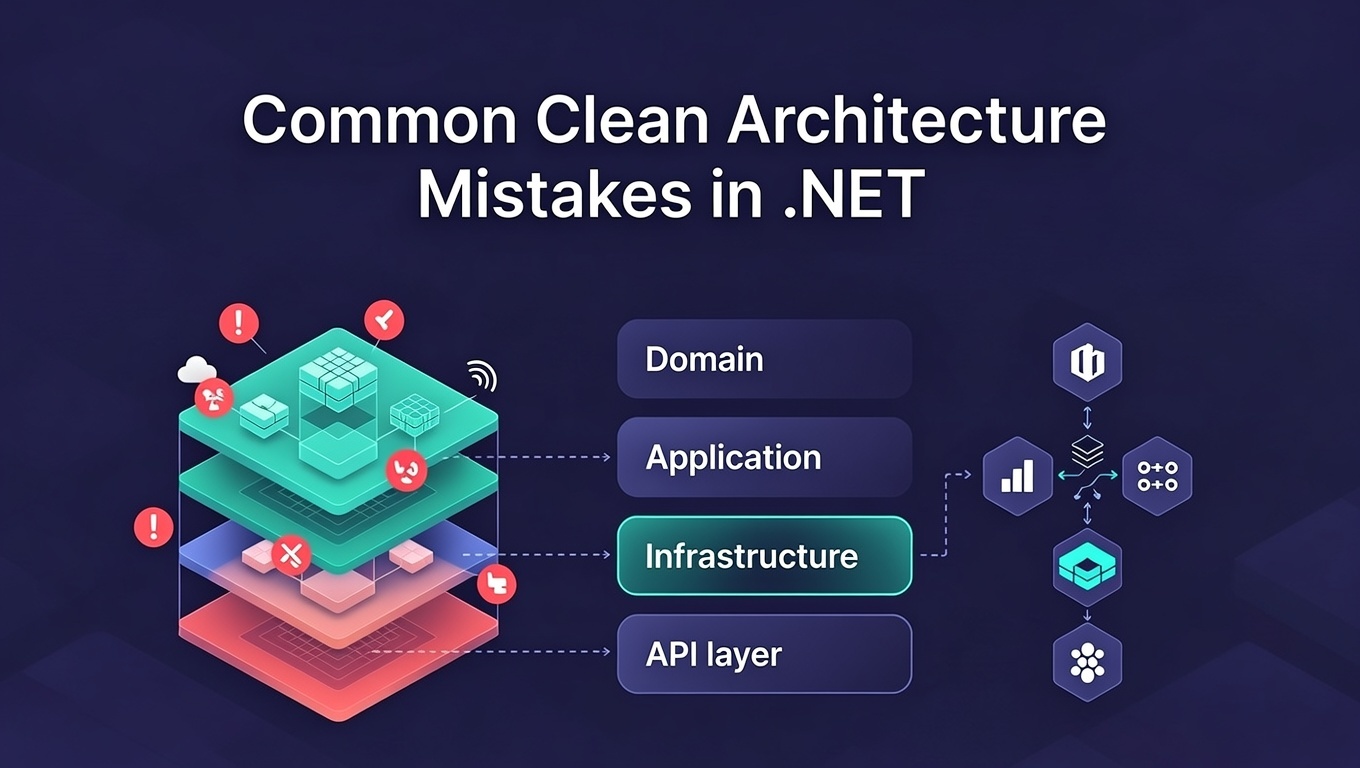
- Common Clean Architecture Mistakes - Don’t make these mistakes!
Grab the Code First
Before we dive in, here’s the complete working code:
Repository: DotNetCleanArchitecture
I recommend cloning it and following along. The code includes:
- Complete Product Management System - Not a toy example, actual working system
- All 4 layers implemented - Domain, Application, Infrastructure, WebAPI
- CQRS in action - Commands for writes, Queries for reads
- Repository Pattern & Unit of Work - Done right, not just generic CRUD
- Entity Framework Core - With InMemory database for easy testing
- Domain Events - See how they work in practice
- Value Objects - Money example you can actually use
- REST API with Swagger - Test it immediately
- Tests included - Both unit and integration tests
- Docker support - Run it anywhere
Clone it, build it, play with it. That’s how you learn this stuff!
What We’re Building
We’re creating a Product Management System. Nothing fancy - just a solid foundation that shows Clean Architecture in action.
What it does:
- Create products with validation
- Update product details
- Manage stock (add/remove inventory)
- Activate/deactivate products
- Query products
Simple features, but implemented the right way. Let’s see how it all fits together.
The Big Picture
┌─────────────────────────────────────────────────────────┐
│                    Product Management System             │
│                                                          │
│  Features:                                              │
│  • Create Product with validation                       │
│  • Update Product details                               │
│  • Manage Stock (Add/Remove)                           │
│  • Activate/Deactivate Products                        │
│  • Query Products                                       │
└─────────────────────────────────────────────────────────┘
Architecture Diagram
┌───────────────────────────────────────────────────────────────┐
│                        WebAPI Layer                           │
│  ┌─────────────────────────────────────────────────────────┐  │
│  │  ProductsController                                      │  │
│  │  ├── POST   /api/products        (Create)              │  │
│  │  ├── GET    /api/products        (GetAll)              │  │
│  │  ├── GET    /api/products/{id}   (GetById)             │  │
│  │  ├── PUT    /api/products/{id}   (Update)              │  │
│  │  └── DELETE /api/products/{id}   (Delete)              │  │
│  └─────────────────────────────────────────────────────────┘  │
│                          │                                     │
│                          │ HTTP Requests                       │
│                          ▼                                     │
├───────────────────────────────────────────────────────────────┤
│                     Application Layer                         │
│  ┌──────────────────────┐      ┌──────────────────────┐      │
│  │   Commands (Write)   │      │   Queries (Read)     │      │
│  │  ┌─────────────────┐ │      │  ┌─────────────────┐ │      │
│  │  │ CreateProduct   │ │      │  │ GetAllProducts  │ │      │
│  │  │ UpdateProduct   │ │      │  │ GetProductById  │ │      │
│  │  │ DeleteProduct   │ │      │  └─────────────────┘ │      │
│  │  └─────────────────┘ │      └──────────────────────┘      │
│  └──────────────────────┘                                     │
│           │                              │                     │
│           │ Uses Domain                  │ Uses Repository    │
│           ▼                              ▼                     │
│  ┌─────────────────────────────────────────────────────────┐  │
│  │  Interfaces (Contracts)                                  │  │
│  │  • IProductRepository                                    │  │
│  │  • IUnitOfWork                                           │  │
│  └─────────────────────────────────────────────────────────┘  │
│                          ▲                                     │
├──────────────────────────┼─────────────────────────────────────┤
│                          │                                     │
│                     Domain Layer                              │
│  ┌─────────────────────────────────────────────────────────┐  │
│  │  Product (Aggregate Root)                               │  │
│  │  ├── Properties: Id, Name, SKU, Price, Stock           │  │
│  │  ├── Methods:                                           │  │
│  │  │   • Create() ← Factory Method                        │  │
│  │  │   • UpdateDetails()                                  │  │
│  │  │   • AddStock() / RemoveStock()                       │  │
│  │  │   • Activate() / Deactivate()                        │  │
│  │  └── Domain Events:                                     │  │
│  │      • ProductCreated                                   │  │
│  │      • ProductUpdated                                   │  │
│  │      • ProductStockChanged                              │  │
│  └─────────────────────────────────────────────────────────┘  │
│  ┌─────────────────────────────────────────────────────────┐  │
│  │  Money (Value Object)                                   │  │
│  │  • Amount + Currency                                     │  │
│  │  • Immutable                                            │  │
│  │  • Equality by value                                    │  │
│  └─────────────────────────────────────────────────────────┘  │
│                                                               │
├───────────────────────────────────────────────────────────────┤
│                   Infrastructure Layer                        │
│  ┌─────────────────────────────────────────────────────────┐  │
│  │  ProductRepository (implements IProductRepository)      │  │
│  │  • GetByIdAsync()                                       │  │
│  │  • GetAllAsync()                                        │  │
│  │  • AddAsync()                                           │  │
│  │  • UpdateAsync()                                        │  │
│  │  • DeleteAsync()                                        │  │
│  └─────────────────────────────────────────────────────────┘  │
│  ┌─────────────────────────────────────────────────────────┐  │
│  │  ApplicationDbContext (EF Core)                         │  │
│  │  • DbSet<Product>                                       │  │
│  │  • Entity Configurations                                │  │
│  └─────────────────────────────────────────────────────────┘  │
│                          │                                     │
│                          ▼                                     │
│  ┌─────────────────────────────────────────────────────────┐  │
│  │               Database (SQL Server / InMemory)          │  │
│  └─────────────────────────────────────────────────────────┘  │
└───────────────────────────────────────────────────────────────┘
Let’s Build It: Layer by Layer
1. Domain Layer: Where Your Business Logic Lives
This is the most important layer. Everything else exists to support this.
Product Entity (The Star of Our Show)
Here’s the Product entity. Notice what makes it different from a typical POCO:
// src/DotNetCleanArchitecture.Domain/Entities/Product.cs

public sealed class Product : BaseEntity
{
    // Properties with private setters (Encapsulation)
    public string Name { get; private set; }
    public string Sku { get; private set; }
    public Money Price { get; private set; }        // Value Object
    public int StockQuantity { get; private set; }
    public bool IsActive { get; private set; }

    // Private constructor for EF Core
    private Product() { }

    // Factory Method - Only way to create a Product
    public static Product Create(
        string name,
        string sku,
        Money price,
        int stockQuantity)
    {
        // Business Rules Enforced Here
        if (string.IsNullOrWhiteSpace(name))
            throw new ArgumentException("Product name cannot be empty");

        if (name.Length > 200)
            throw new ArgumentException("Name cannot exceed 200 characters");

        if (string.IsNullOrWhiteSpace(sku))
            throw new ArgumentException("SKU cannot be empty");

        var product = new Product
        {
            Name = name,
            Sku = sku,
            Price = price,
            StockQuantity = stockQuantity,
            IsActive = true
        };

        // Domain Event Published
        product.AddDomainEvent(
            new ProductCreatedDomainEvent(product.Id, product.Name, product.Sku)
        );

        return product;
    }

    // Business Operations
    public void AddStock(int quantity)
    {
        if (quantity <= 0)
            throw new ArgumentException("Quantity must be positive");

        StockQuantity += quantity;
        SetUpdatedAt();

        // Publish domain event
        AddDomainEvent(new ProductStockChangedDomainEvent(Id, StockQuantity));
    }

    public void RemoveStock(int quantity)
    {
        if (quantity <= 0)
            throw new ArgumentException("Quantity must be positive");

        if (StockQuantity < quantity)
            throw new InvalidOperationException("Insufficient stock");

        StockQuantity -= quantity;
        SetUpdatedAt();

        AddDomainEvent(new ProductStockChangedDomainEvent(Id, StockQuantity));
    }

    public void Activate() => IsActive = true;
    public void Deactivate() => IsActive = false;
    public bool IsInStock() => StockQuantity > 0;
    public bool IsAvailable() => IsActive && IsInStock();
}
See what we did there?
- Private setters - Can’t modify from outside. No more
product.StockQuantity = -50; - Factory method - The ONLY way to create a Product. No
new Product()allowed. - Business rules enforced - Try to create a product without a name? Exception. As it should be.
- Domain events - When something important happens, we broadcast it
- Rich behavior -
AddStock(),RemoveStock(),IsAvailable()- methods that make business sense
This isn’t just a data bag. This is a real domain entity with behavior and rules.
Money Value Object
Value objects represent concepts that are defined by their attributes:
// src/DotNetCleanArchitecture.Domain/ValueObjects/Money.cs

public sealed class Money : ValueObject
{
    public decimal Amount { get; private set; }
    public string Currency { get; private set; }

    private Money(decimal amount, string currency)
    {
        Amount = amount;
        Currency = currency;
    }

    // Factory method with validation
    public static Money Create(decimal amount, string currency = "USD")
    {
        if (amount < 0)
            throw new ArgumentException("Amount cannot be negative");

        if (string.IsNullOrWhiteSpace(currency))
            throw new ArgumentException("Currency cannot be empty");

        return new Money(amount, currency.ToUpperInvariant());
    }

    // Business operations
    public Money Add(Money other)
    {
        if (Currency != other.Currency)
            throw new InvalidOperationException(
                "Cannot add money with different currencies"
            );

        return new Money(Amount + other.Amount, Currency);
    }

    // Value objects are compared by value, not reference
    protected override IEnumerable<object?> GetEqualityComponents()
    {
        yield return Amount;
        yield return Currency;
    }

    public override string ToString() => $"{Amount:N2} {Currency}";
}
Why bother with Value Objects?
Imagine you had this:
public decimal Price { get; set; }
public string Currency { get; set; }
Nothing stops you from doing:
product.Price = -100; // Negative price? Sure!
product.Currency = "INVALID"; // Fake currency? Why not!
With Money as a Value Object:
- Can’t create negative amounts - validation in constructor
- Can’t change it after creation - immutable
- Can’t mix USD with EUR without explicit handling
- Two Money objects with same value are equal (value equality, not reference)
Type safety + validation in one package. That’s the power of Value Objects.
2. Application Layer: Orchestrating the Action
The Application layer is where use cases live. Think of it as the director - it tells everyone what to do but doesn’t do the heavy lifting itself.
Creating a Product (Command Side)
Let’s see how we create a product. This is a Command - it changes state:
// src/DotNetCleanArchitecture.Application/UseCases/Products/Commands/CreateProductCommand.cs

public sealed class CreateProductCommand
{
    private readonly IProductRepository _productRepository;
    private readonly IUnitOfWork _unitOfWork;

    public CreateProductCommand(
        IProductRepository productRepository,
        IUnitOfWork unitOfWork)
    {
        _productRepository = productRepository;
        _unitOfWork = unitOfWork;
    }

    public async Task<ProductDto> ExecuteAsync(
        CreateProductDto dto,
        CancellationToken cancellationToken = default)
    {
        // Business validation
        if (await _productRepository.SkuExistsAsync(dto.Sku, cancellationToken))
        {
            throw new InvalidOperationException(
                $"Product with SKU '{dto.Sku}' already exists"
            );
        }

        // Use domain factory method
        var price = Money.Create(dto.Price, dto.Currency);
        var product = Product.Create(
            dto.Name,
            dto.Sku,
            price,
            dto.StockQuantity
        );

        // Persist through repository
        await _productRepository.AddAsync(product, cancellationToken);
        await _unitOfWork.SaveChangesAsync(cancellationToken);

        // Return DTO (not domain entity)
        return MapToDto(product);
    }

    private static ProductDto MapToDto(Product product)
    {
        return new ProductDto
        {
            Id = product.Id,
            Name = product.Name,
            Sku = product.Sku,
            Price = product.Price.Amount,
            Currency = product.Price.Currency,
            StockQuantity = product.StockQuantity,
            IsActive = product.IsActive,
            CreatedAt = product.CreatedAt
        };
    }
}
What’s happening here?
- Business validation - Check if SKU already exists (can’t have duplicates)
- Delegate to domain - Call
Product.Create()- let the domain handle its rules - Use repository - Save through abstraction, not directly to database
- Unit of Work - Commit the transaction
- Return DTO - Never expose domain entities to the outside world
The command is thin. It orchestrates, it doesn’t implement business logic. That’s in the domain where it belongs.
Get Products Query
Queries handle read operations:
// src/DotNetCleanArchitecture.Application/UseCases/Products/Queries/GetAllProductsQuery.cs

public sealed class GetAllProductsQuery
{
    private readonly IProductRepository _productRepository;

    public GetAllProductsQuery(IProductRepository productRepository)
    {
        _productRepository = productRepository;
    }

    public async Task<IReadOnlyList<ProductDto>> ExecuteAsync(
        CancellationToken cancellationToken = default)
    {
        var products = await _productRepository.GetAllAsync(cancellationToken);
        return products.Select(MapToDto).ToList();
    }

    private static ProductDto MapToDto(Product product)
    {
        return new ProductDto
        {
            Id = product.Id,
            Name = product.Name,
            Sku = product.Sku,
            Price = product.Price.Amount,
            Currency = product.Price.Currency,
            StockQuantity = product.StockQuantity,
            IsActive = product.IsActive,
            CreatedAt = product.CreatedAt,
            UpdatedAt = product.UpdatedAt
        };
    }
}
Why separate Commands and Queries?
Because reads and writes are fundamentally different:
- Writes (Commands) - Change state, need validation, trigger events, use domain logic
- Reads (Queries) - Just fetch data, no validation needed, can be optimized differently
Separating them means:
- Your read code doesn’t carry validation baggage it doesn’t need
- You can optimize reads without affecting writes (different database, caching, etc.)
- Your code screams its intent - “This changes data!” vs “This just reads data”
This is CQRS (Command Query Responsibility Segregation) in action.
3. Infrastructure Layer: The Plumbing
This is where we get our hands dirty with databases, file systems, external APIs - all the messy real-world stuff.
Repository: Talking to the Database
Here’s how we actually interact with Entity Framework Core:
// src/DotNetCleanArchitecture.Infrastructure/Persistence/Repositories/ProductRepository.cs

public class ProductRepository : IProductRepository
{
    private readonly ApplicationDbContext _context;

    public ProductRepository(ApplicationDbContext context)
    {
        _context = context;
    }

    public async Task<Product?> GetByIdAsync(
        Guid id,
        CancellationToken cancellationToken = default)
    {
        return await _context.Products
            .FirstOrDefaultAsync(p => p.Id == id, cancellationToken);
    }

    public async Task<IReadOnlyList<Product>> GetAllAsync(
        CancellationToken cancellationToken = default)
    {
        return await _context.Products
            .OrderBy(p => p.Name)
            .ToListAsync(cancellationToken);
    }

    public async Task<Product> AddAsync(
        Product product,
        CancellationToken cancellationToken = default)
    {
        await _context.Products.AddAsync(product, cancellationToken);
        return product;
    }

    public async Task<bool> SkuExistsAsync(
        string sku,
        CancellationToken cancellationToken = default)
    {
        return await _context.Products
            .AnyAsync(p => p.Sku == sku, cancellationToken);
    }

    // ... other methods
}
Entity Framework Configuration
// src/DotNetCleanArchitecture.Infrastructure/Persistence/Configurations/ProductConfiguration.cs

public class ProductConfiguration : IEntityTypeConfiguration<Product>
{
    public void Configure(EntityTypeBuilder<Product> builder)
    {
        builder.ToTable("Products");
        builder.HasKey(p => p.Id);

        builder.Property(p => p.Name)
            .IsRequired()
            .HasMaxLength(200);

        builder.Property(p => p.Sku)
            .IsRequired()
            .HasMaxLength(50);

        builder.HasIndex(p => p.Sku)
            .IsUnique();

        // Value Object as Owned Entity
        builder.OwnsOne(p => p.Price, priceBuilder =>
        {
            priceBuilder.Property(m => m.Amount)
                .HasColumnName("Price")
                .HasPrecision(18, 2)
                .IsRequired();

            priceBuilder.Property(m => m.Currency)
                .HasColumnName("Currency")
                .HasMaxLength(3)
                .IsRequired();
        });

        // Ignore domain events (not persisted)
        builder.Ignore(p => p.DomainEvents);
    }
}
Why configure here instead of in the domain?
Because the domain doesn’t (and shouldn’t) know about databases!
- Domain has
Money Price- a value object - Infrastructure maps it to
Price(decimal) andCurrency(string) columns - Domain stays pure, database gets what it needs
This is the Dependency Inversion Principle in action. The domain defines what it needs (through interfaces), infrastructure figures out how to provide it.
4. Presentation Layer: The REST API
Finally, the outside world! This is what users (or other systems) interact with.
The Controller (Thin as Paper)
Remember: Controllers should be dumb. They handle HTTP, nothing more:
// src/DotNetCleanArchitecture.WebAPI/Controllers/ProductsController.cs

[ApiController]
[Route("api/[controller]")]
public class ProductsController : ControllerBase
{
    private readonly CreateProductCommand _createProductCommand;
    private readonly GetAllProductsQuery _getAllProductsQuery;
    private readonly GetProductByIdQuery _getProductByIdQuery;
    private readonly ILogger<ProductsController> _logger;

    public ProductsController(
        CreateProductCommand createProductCommand,
        GetAllProductsQuery getAllProductsQuery,
        GetProductByIdQuery getProductByIdQuery,
        ILogger<ProductsController> logger)
    {
        _createProductCommand = createProductCommand;
        _getAllProductsQuery = getAllProductsQuery;
        _getProductByIdQuery = getProductByIdQuery;
        _logger = logger;
    }

    /// <summary>
    /// Get all products
    /// </summary>
    [HttpGet]
    [ProducesResponseType(typeof(IReadOnlyList<ProductDto>), 200)]
    public async Task<ActionResult<IReadOnlyList<ProductDto>>> GetAll(
        CancellationToken cancellationToken)
    {
        try
        {
            var products = await _getAllProductsQuery.ExecuteAsync(cancellationToken);
            return Ok(products);
        }
        catch (Exception ex)
        {
            _logger.LogError(ex, "Error getting all products");
            return StatusCode(500, "An error occurred");
        }
    }

    /// <summary>
    /// Create a new product
    /// </summary>
    [HttpPost]
    [ProducesResponseType(typeof(ProductDto), 201)]
    [ProducesResponseType(400)]
    public async Task<ActionResult<ProductDto>> Create(
        [FromBody] CreateProductDto dto,
        CancellationToken cancellationToken)
    {
        try
        {
            var product = await _createProductCommand.ExecuteAsync(
                dto,
                cancellationToken
            );

            return CreatedAtAction(
                nameof(GetById),
                new { id = product.Id },
                product
            );
        }
        catch (ArgumentException ex)
        {
            _logger.LogWarning(ex, "Validation error");
            return BadRequest(ex.Message);
        }
        catch (InvalidOperationException ex)
        {
            _logger.LogWarning(ex, "Business rule violation");
            return BadRequest(ex.Message);
        }
        catch (Exception ex)
        {
            _logger.LogError(ex, "Error creating product");
            return StatusCode(500, "An error occurred");
        }
    }

    // ... other endpoints
}
See how thin this controller is?
It does exactly three things:
- Receives HTTP request -
[FromBody]parameter - Calls the command -
await _createProductCommand.ExecuteAsync() - Returns HTTP response -
CreatedAtAction()with 201 status
No business logic. No database access. No validation (that’s in the domain).
Just HTTP in, use case call, HTTP out. That’s it.
If you can test your business logic without spinning up a web server, you’re doing it right.
Dependency Injection Setup
// src/DotNetCleanArchitecture.WebAPI/Program.cs

var builder = WebApplication.CreateBuilder(args);

// Add services
builder.Services.AddControllers();
builder.Services.AddEndpointsApiExplorer();
builder.Services.AddOpenApi();

// Register Application Layer
builder.Services.AddApplication();

// Register Infrastructure Layer
builder.Services.AddInfrastructure(builder.Configuration);

var app = builder.Build();

// Configure middleware
if (app.Environment.IsDevelopment())
{
    app.MapOpenApi();
}

app.UseHttpsRedirection();
app.MapControllers();

app.Run();
Putting It All Together: A Request Journey
Let’s follow a single HTTP request from start to finish. This is where you see how all the layers work together.
The Journey of “Create Product”
1️⃣  HTTP Request
    │
    │  POST /api/products
    │  {
    │    "name": "Wireless Mouse",
    │    "sku": "MOUSE-001",
    │    "price": 29.99,
    │    "currency": "USD",
    │    "stockQuantity": 50
    │  }
    │
    ▼

2️⃣  ProductsController (WebAPI Layer)
    │  • Receives HTTP request
    │  • Validates input
    │  • Calls CreateProductCommand
    │
    ▼

3️⃣  CreateProductCommand (Application Layer)
    │  • Checks if SKU already exists (business rule)
    │  • Creates Money value object
    │  • Calls Product.Create() factory method
    │
    ▼

4️⃣  Product.Create() (Domain Layer)
    │  • Validates business rules
    │  • Creates Product entity
    │  • Publishes ProductCreatedDomainEvent
    │  • Returns valid Product
    │
    ▼

5️⃣  ProductRepository.AddAsync() (Infrastructure Layer)
    │  • Adds product to DbContext
    │
    ▼

6️⃣  UnitOfWork.SaveChangesAsync() (Infrastructure Layer)
    │  • Commits transaction to database
    │  • Dispatches domain events
    │
    ▼

7️⃣  Response Back to Client
    │  • Maps Product to ProductDto
    │  • Returns 201 Created with product data
    │
    └──► HTTP Response
         {
           "id": "123e4567-e89b-12d3-a456-426614174000",
           "name": "Wireless Mouse",
           "sku": "MOUSE-001",
           "price": 29.99,
           "currency": "USD",
           "stockQuantity": 50,
           "isActive": true,
           "createdAt": "2025-12-21T10:30:00Z"
         }
Lessons Learned (The Hard Way)
Here’s what works and what doesn’t, based on real projects:
DO These Things
Keep Domain Pure
// Good: Pure domain logic
public void AddStock(int quantity)
{
    if (quantity <= 0)
        throw new ArgumentException("Quantity must be positive");

    StockQuantity += quantity;
}
Use Factory Methods
// Good: Factory method enforces rules
public static Product Create(string name, string sku, Money price)
{
    if (string.IsNullOrWhiteSpace(name))
        throw new ArgumentException("Name required");

    return new Product { Name = name, Sku = sku, Price = price };
}
Encapsulate with Private Setters
// Good: Cannot be modified from outside
public string Name { get; private set; }
Use Value Objects
// Good: Money is a value object
public Money Price { get; private set; }

// Bad: Primitives can be mixed up
public decimal Price { get; set; }
public string Currency { get; set; }
Define Interfaces in Application Layer
// Application/Interfaces/IProductRepository.cs
public interface IProductRepository
{
    Task<Product?> GetByIdAsync(Guid id);
}
DON’T
Don’t Reference Outer Layers from Inner Layers
// BAD: Domain referencing Infrastructure
public class Product
{
    private readonly IProductRepository _repository; // WRONG!
}
Don’t Put Business Logic in Controllers
// BAD: Business logic in controller
[HttpPost]
public async Task<IActionResult> Create(CreateProductDto dto)
{
    if (string.IsNullOrEmpty(dto.Name)) // Business rule in wrong place
        return BadRequest();

    var product = new Product { Name = dto.Name }; // Direct instantiation
    await _context.Products.AddAsync(product); // Direct DB access
    await _context.SaveChangesAsync();
    return Ok();
}
Don’t Expose Domain Entities Directly
// BAD: Returning domain entity
[HttpGet]
public async Task<Product> Get(Guid id)
{
    return await _repository.GetByIdAsync(id);
}

// GOOD: Return DTO
[HttpGet]
public async Task<ProductDto> Get(Guid id)
{
    var product = await _repository.GetByIdAsync(id);
    return MapToDto(product);
}
Should YOU Use Clean Architecture?
Honest talk: Clean Architecture isn’t always the answer.
Use It When:
- Complex business rules - If you have a 50-page requirements doc, you need this
- Long-term project - Building something that’ll run for 5+ years? Invest in architecture
- Multiple teams - Different teams working on different parts? Layers help prevent chaos
- Changing requirements - Business rules change frequently? Keep them isolated in domain
- Multiple platforms - Same logic needs to work on web, mobile, desktop? Share the domain
- Testing is critical - Medical software? Financial systems? You need testable architecture
- Tech might change - Might switch from SQL Server to PostgreSQL? Or REST to gRPC? Good architecture makes it easier
Skip It When:
- Simple CRUD - Just reading/writing database records? You don’t need 4 layers
- Rapid prototyping - Proving a concept? Build it fast, refactor if it succeeds
- Tiny team - Solo developer or pair? The overhead might not be worth it
- Short-lived project - 3-month internal tool? Keep it simple
- Team is learning - If the team is still learning the basics, don’t add architecture complexity
- Deadline is tomorrow - Sometimes “working” beats “clean”. Refactor later.
My rule of thumb: If the project will exist longer than 6 months and has actual business logic (not just CRUD), Clean Architecture pays off.
Summary of Our Implementation
What We Built
A Product Management System demonstrating:
| Layer | What We Created | Purpose |
|---|---|---|
| Domain | Product entity, Money value object, Domain events | Pure business logic |
| Application | Create/Update/Delete commands, Get queries, DTOs | Use cases and orchestration |
| Infrastructure | EF Core repository, DbContext, configurations | Data access implementation |
| WebAPI | REST API controller, 5 endpoints | HTTP interface |
Key Patterns Used
Clean Architecture        → Layered structure with dependency rule
Domain-Driven Design       → Entities, Value Objects, Events
CQRS                       → Commands and Queries separated
Repository Pattern         → Abstract data access
Unit of Work Pattern       → Transaction management
Factory Pattern            → Product.Create() method
Dependency Injection       → Loose coupling throughout
SOLID Principles           → All five principles applied
Project Statistics
- 26 C# Files across 4 layers
- 1 Aggregate Root (Product)
- 1 Value Object (Money)
- 3 Domain Events
- 3 Commands (Write operations)
- 2 Queries (Read operations)
- 5 REST Endpoints
- 0 Framework Dependencies in Domain layer
Business Rules Enforced
- Product name is required and max 200 characters
- SKU must be unique
- Price cannot be negative
- Stock quantity cannot be negative
- Cannot remove more stock than available
- Currency must be valid (3-letter code)
- Domain events published for important actions
Conclusion
Clean Architecture provides a robust foundation for building maintainable, testable, and scalable applications. While it requires more upfront investment, the long-term benefits are substantial:
Key Takeaways
Independence is Key: Business logic should be independent of frameworks, UI, and databases
The Dependency Rule: Dependencies always point inward—inner layers know nothing about outer layers
Testability: With proper separation, you can test business logic without any infrastructure
Flexibility: Swap out databases, frameworks, or UI without touching core business logic
Maintainability: Clear boundaries make code easier to understand and modify
Team Collaboration: Different teams can work on different layers independently
Is It Worth It?
For complex business applications with long lifespans: Absolutely YES
For simple CRUD apps or rapid prototypes: Probably NOT ❌
Final Thoughts
Clean Architecture is not a silver bullet, but when applied appropriately, it creates systems that are:
- Easy to test
- Easy to understand
- Easy to maintain
- Easy to extend
- Hard to break
The key is knowing when to use it and how much complexity to introduce based on your project’s needs.
Resources
Official Documentation
- Clean Architecture by Robert C. Martin (Uncle Bob)
- Domain-Driven Design by Eric Evans
- Microsoft’s eShopOnContainers (reference implementation)
Implementation Repository
GitHub Repository: DotNetCleanArchitecture
Project structure:
- Domain:
src/DotNetCleanArchitecture.Domain/ - Application:
src/DotNetCleanArchitecture.Application/ - Infrastructure:
src/DotNetCleanArchitecture.Infrastructure/ - WebAPI:
src/DotNetCleanArchitecture.WebAPI/
Clone and run:
git clone https://github.com/yourusername/DotNetCleanArchitecture.git
cd DotNetCleanArchitecture
dotnet restore
dotnet run --project src/DotNetCleanArchitecture.WebAPI
Further Reading
Related Articles:
- Clean Architecture in .NET Overall - Fundamentals and principles
- Common Clean Architecture Mistakes in .NET - Avoid these antipatterns!
Patterns & Principles:
- SOLID Principles
- CQRS Pattern
- Event Sourcing
- Repository Pattern
- Unit of Work Pattern
- Dependency Injection
Questions? Leave a comment below. Happy coding!!!
If you find this post helpful